Attach Files to Updates & Upload files to Tapestry

Two amazing new features tied together in one. Attach files to updates to provide evidence or add files to Tapestry to improve AI insights across the product.
Attach Files to Updates
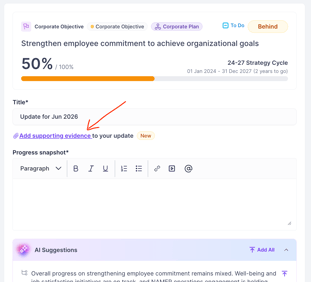
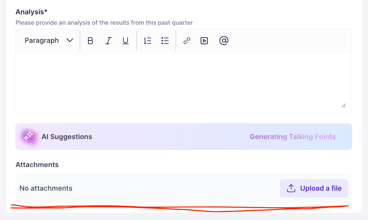
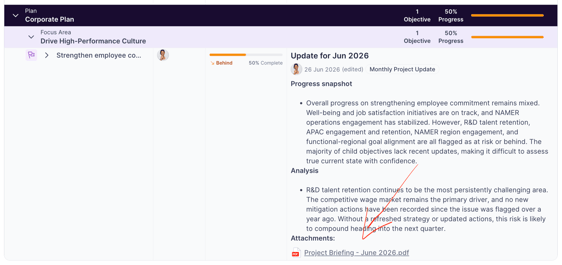
You can attach a file directly to an update on a goal to provide additional materials or supporting evidence. We also make this file available to Tapestry just for you so you can get better insights and better update suggestions.
Learn more: https://support.cascade.app/tapestry-file-upload
Upload Files to Tapestry AI
Tapestry can extract strategic facts from documents you upload, turning meeting notes, reports, project briefs, and other files into suggested goal updates without any manual re-entry.
The File Hub is the primary place to upload documents you want Tapestry to process. Use it for files that relate to your goals but aren't tied to a specific update, such as strategy documents, project reports, or board packs.
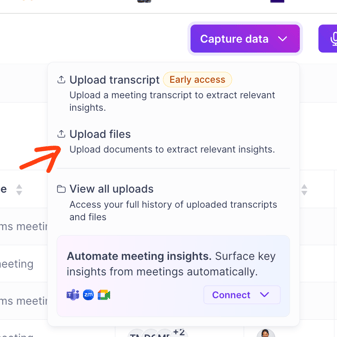
Only you and the users or teams you selected at upload can view files in the File Hub. Organisation admins and Cascade staff cannot access your uploaded files, so your secrets stay safe with you.
Learn more: https://support.cascade.app/tapestry-file-upload
Meetings & Files Hub
Meetings & Files is your personal hub in Cascade for everything Tapestry AI has learned from your work. It brings together:
Connected meetings — automatically processed from Teams, Google Meet, or Zoom via Tapestry Connect
Uploaded files — transcripts or notes you've added manually
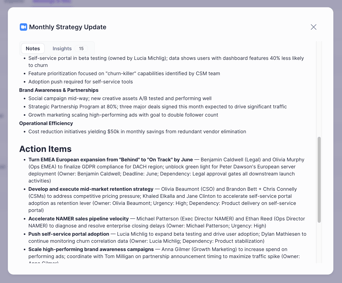
AI-generated insights — the facts, gaps, and decisions Tapestry has extracted and linked to your goals
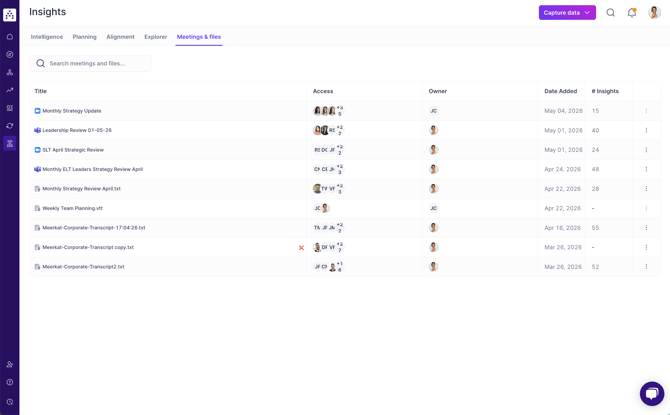
Think of it as Tapestry's working memory. Everything here feeds directly into the update suggestions you see on your goals, the insights history tab and upcoming AI capabilities.
Learn more: https://support.cascade.app/meetings-and-files