Objective Datasource Filters in Reports

Report tables can now pull goals from across your entire workspace, without selecting every plan. With objective filters, you can build tables that bring together goals from multiple plans in one view, filtered exactly how you need them easier than ever before.
This makes it much easier to build things like project portfolio views, cross-functional reports, and executive dashboards that reflect how your organisation actually works, rather than being limited to one plan at a time.
How it works
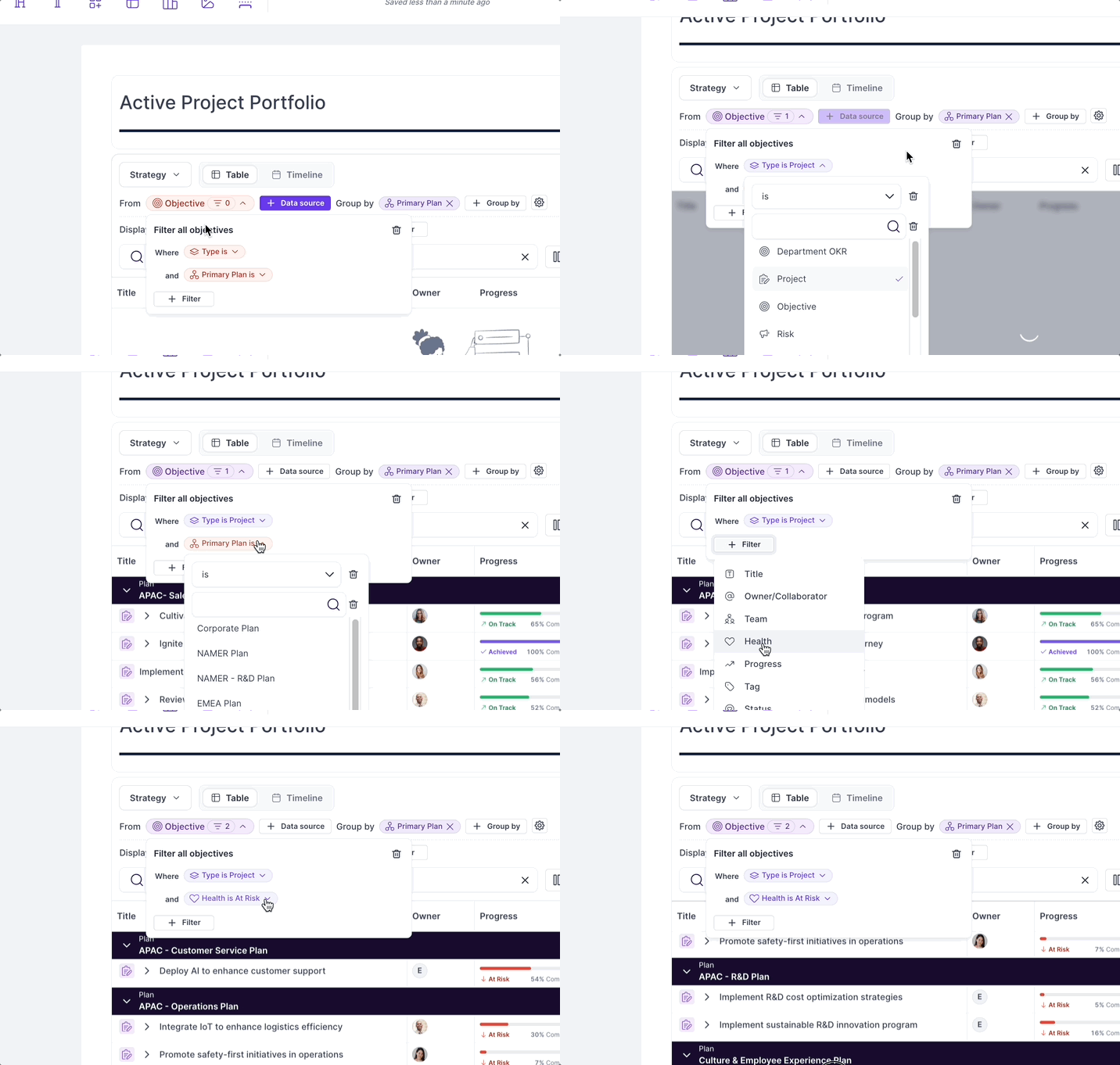
When configuring a table widget in a report, use the objective filter options to select goals from across your workspace. You can filter by plan, owner, focus area, status, or any combination, giving you precise control over what appears in the table.
When to use it
Use anytime you want to bring your a set of goals from across your workspace together with all of their success criteria. Some great examples:
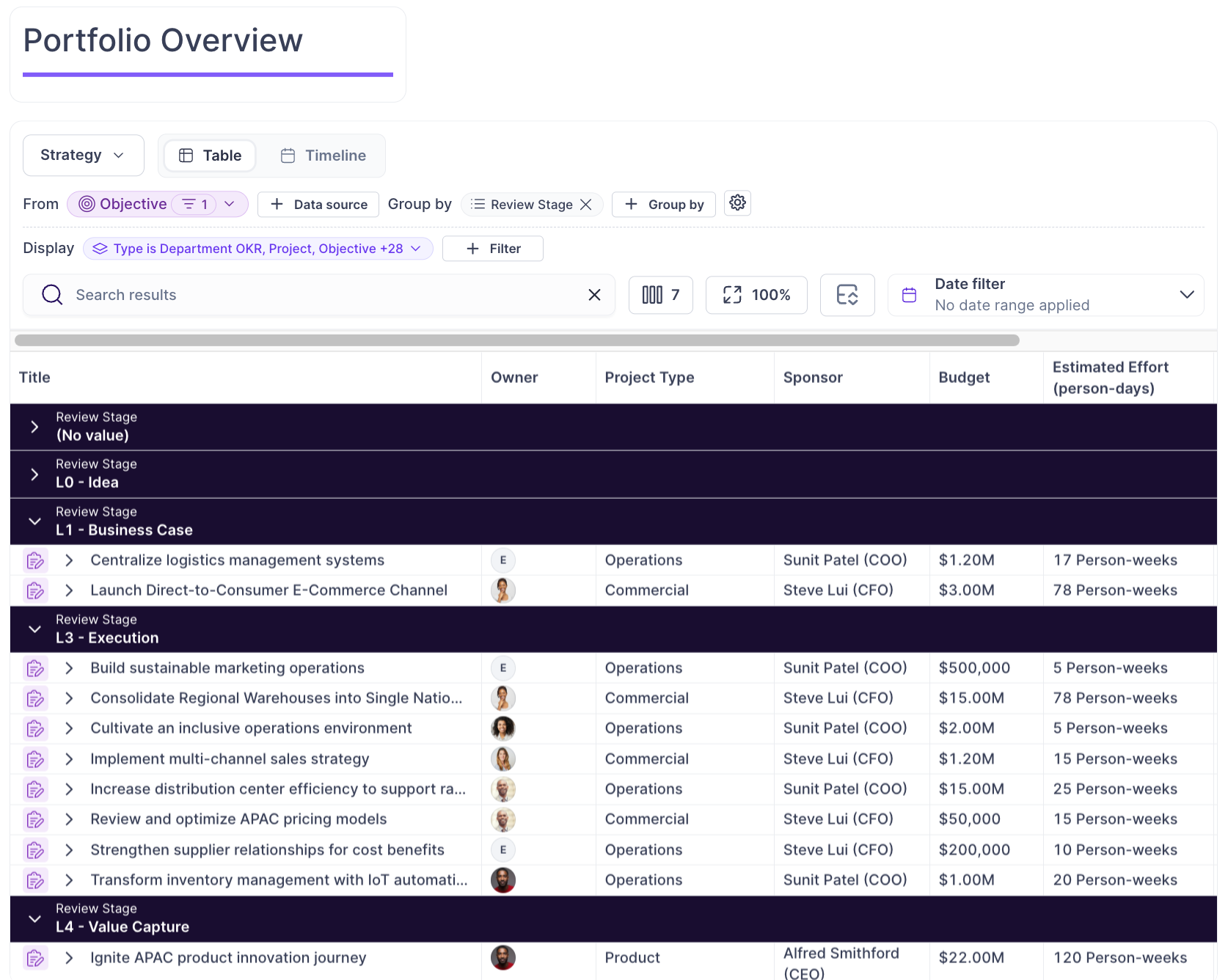
Building a PMO or project portfolio view that spans multiple teams
Creating a cross-functional report for leadership that pulls key goals from several plans. e.g. All “Transformation Objectives” from across the workspace.
Tracking a specific focus area or theme across the whole organisation
Learn more in the support article.